AI B-Roll That Actually Shows You, Not a Random AI Person
We ran the same B-roll prompts twice, once with a frame from the podcast recording as a reference and once without. Here is the difference, and how to set it up in Compledio in about thirty seconds.
If you make podcast or talking-head videos, here is the fastest way to make AI B-roll feel like it belongs to your show: give the AI one frame of you as a reference. Every generated scene will then show you, in your clothes, in one consistent visual style. Skip the reference and you get a different stranger in every clip, which is the look everyone recognizes as AI slop.
We tested it so you can see the difference instead of taking our word for it.
The test: same prompts, with and without a reference
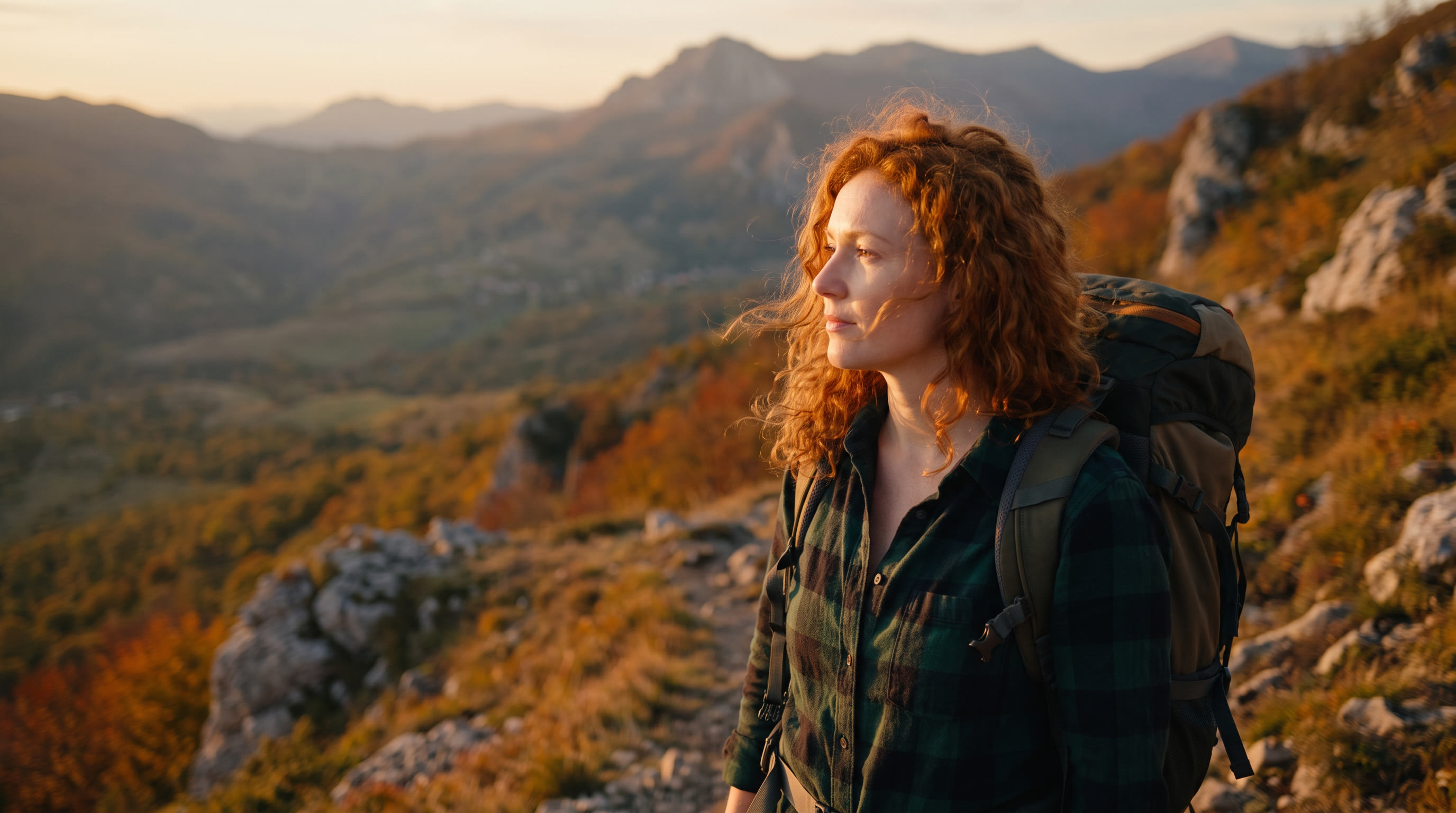
We took one frame of the host from a podcast recording. Then we generated the same two B-roll scenes twice: a story about her bakery days, and a story about a solo hike. The only difference between the runs was whether the AI got that frame as a reference.
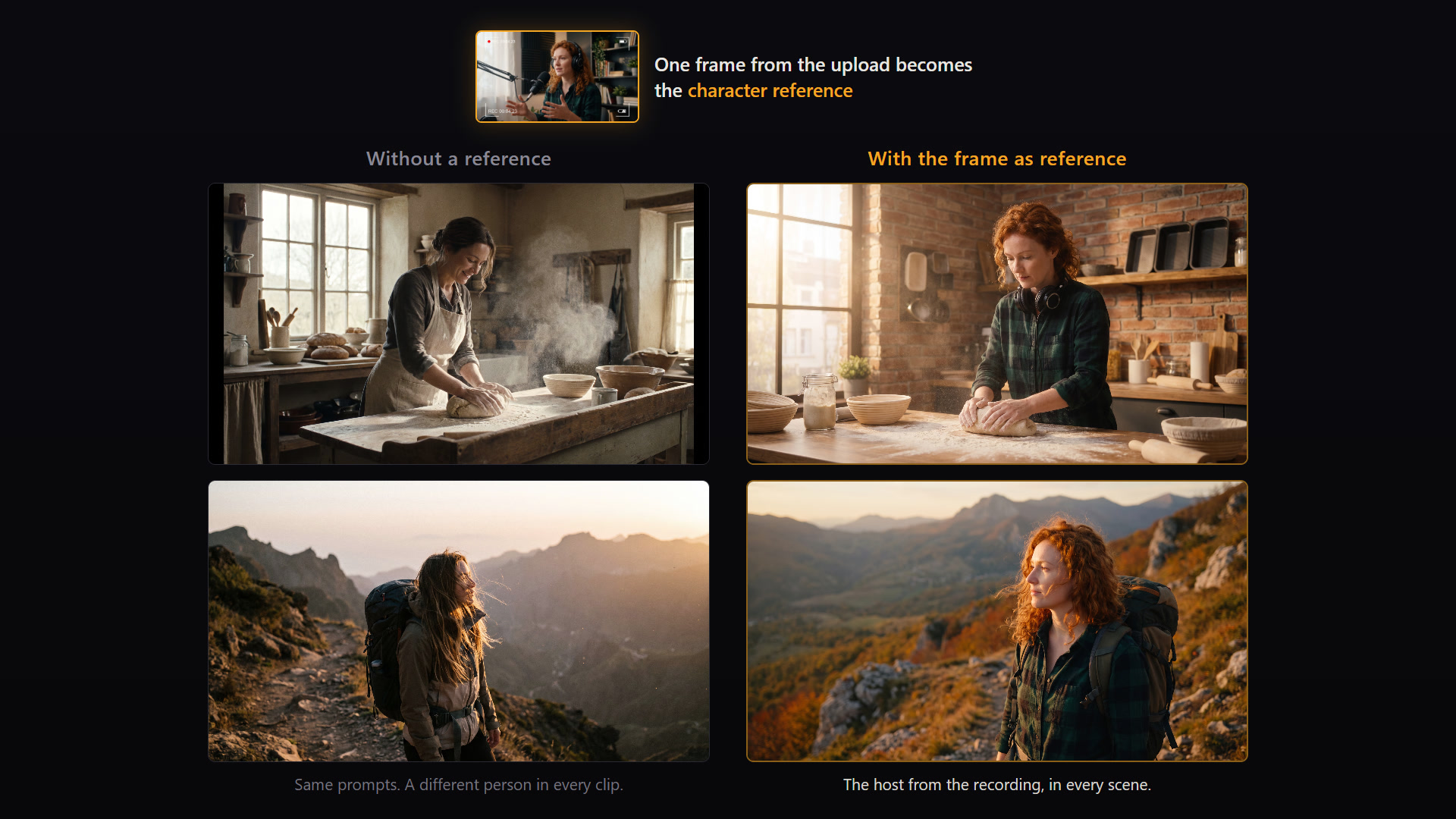
Without the reference, the kitchen scene stars a woman we have never met. The hiking scene stars a second one. Each clip looks fine on its own, and the sequence still falls apart, because viewers notice the cast changing between shots even when they cannot say why.
With the reference, it is her. Same face, same curly red hair, same green flannel shirt from the recording. The B-roll stops being generic filler and becomes footage of the person who is talking.
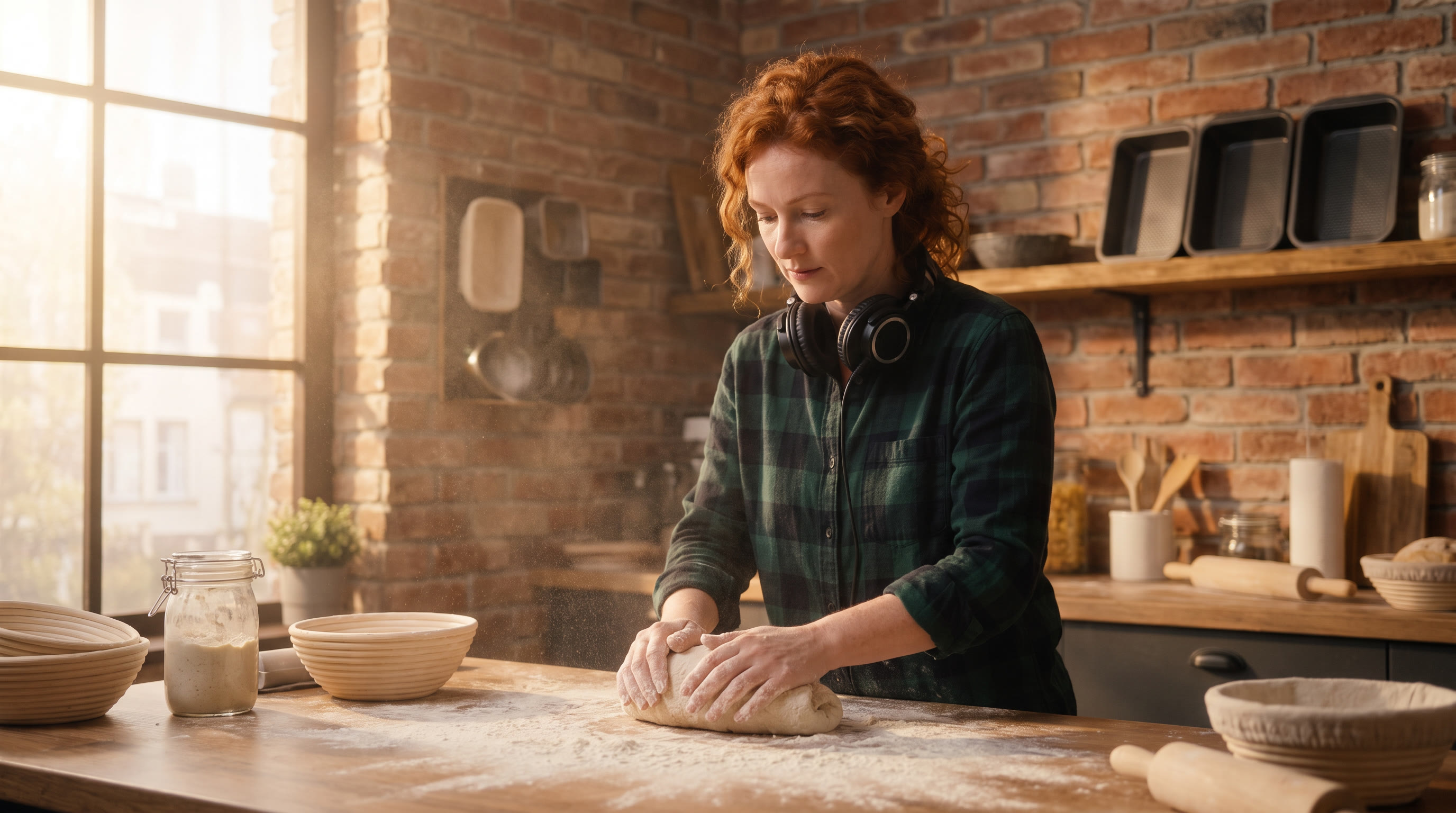
Look closely at the kitchen shot: she still has her headphones around her neck. The model carried over a detail we never asked for, because the reference told it who this person is.
Why this matters for podcasters specifically
When your episode is you talking into a microphone for an hour, B-roll is what keeps the video version watchable. But B-roll of random AI people telling your stories creates a weird disconnect. You say "back when I was baking bread at 4am" and the viewer sees a stranger doing it.
When the B-roll shows you, it reads like a produced documentary cutaway instead of stock filler. That is the difference between "they slapped AI clips on a podcast" and "this show has a production budget."
How to set it up in Compledio
Compledio pulls frames directly from your upload, so you do not need a photoshoot. After you upload your episode:
- Pick a frame of yourself from the video. A clear, front-facing, well-lit frame works best.
- In the Style Instructions box, attach it (you can add up to 10 images) and type @ to reference it.
- Describe what each image is for, in plain words. For example: "Use Image 1 as the main character and Image 2 for the art style of every scene."
That is the whole setup. Every moment Compledio finds in your episode will generate with that instruction applied, so consistency holds across the entire timeline, not just one clip.
Audio-only podcasters can do the same thing with any photo. Upload it as a reference image and your visual stand-in stays stable across every scene.
Style lock works even if you stay out of frame
Not everyone wants to star in their own B-roll, and reference images help there too. Attach an image whose look you love, tell Compledio to use it for the art style, and every generated clip inherits that palette, lighting, and mood. Twenty clips that feel like one production instead of twenty different AI experiments.
The short version
- AI B-roll without a reference casts a new stranger in every clip. Viewers notice.
- One frame of you from the recording fixes it. Compledio picks frames straight from your upload.
- Write the instruction in plain language: "Use Image 1 as the main character."
- Style references work the same way if you want a consistent look without appearing in the scenes.
For the deeper mechanics of why models drift and how reference images anchor them, we wrote a full reference image guide. And if you want to see this on your own episode, upload one to Compledio and check what your show looks like with B-roll that actually knows who you are.